
How to combine Gong, Intercom, Zendesk and Slack feedback into one view
A four-step guide to combining customer feedback sources: match customers across tools, extract requests, count distinct accounts and keep every quote.

Every product team has the same four tabs open. Gong for calls. Intercom for chat. Zendesk for tickets. Slack for everything sales and CS forward with “customer asked about this again”.
Each tool has a search box. Each one has its own idea of who a customer is. And the question the roadmap review actually asks, “how many customers want this, and what are they worth?”, lives in none of them.
This guide walks through how to combine customer feedback sources into one view that can answer that question: the sources and what each holds, then four steps, then when a spreadsheet and a script are enough and when they aren’t.
Why one view keeps failing
Most attempts at a single view stop at one of two places.
The first is a dashboard of dashboards: a page that embeds each tool’s charts side by side. It looks unified. It isn’t. Three dashboards don’t add up to a count. If the same account raised the same request on a call, in a ticket and in Slack, it shows up three times in three places, under three different IDs.
”Three dashboards don’t add up to a count.”
The second is connecting every tool to an AI agent, one MCP server per tool. Your agent can now search four places. It still can’t tell you how many distinct customers asked for something, because each search returns its own sample. Our post on MCP servers for customer feedback covers why per-tool search boxes don’t add up.
Both fail for the same reason. The hard part was never getting the data in one place. It’s making the records agree on who said what.
The source table
Start by listing where customer signal lives and how each tool identifies a customer. This table is for a typical B2B software team; swap in your own tools.
| Source | What signal lives there | How to get it out | Customer ID it uses |
|---|---|---|---|
| 📞 Gong (calls) | Requests, objections and pain stated out loud by prospects and customers | API or export of transcripts and call metadata | Participant emails, linked CRM account |
| 💬 Intercom (chat) | Quick asks, bug reports, “can it do X?” questions | API of conversations | User email, Intercom company ID |
| 🎫 Zendesk (tickets) | Detailed problems, workarounds, repeat issues | API or export of tickets and comments | Requester email, Zendesk organization |
| 🗂️ CRM (Salesforce, HubSpot, Attio) | Account, plan, revenue, renewal date, owner | API of accounts and deals | CRM account ID, company domain |
| 💼 Slack (internal channels) | Requests forwarded by sales and CS, often paraphrased | API of chosen channels | Usually none: a company name typed in the message |
Two things stand out. Every source uses a different key. And Slack, where a lot of the best signal lands, usually has no key at all.
Step 1: match customers across tools
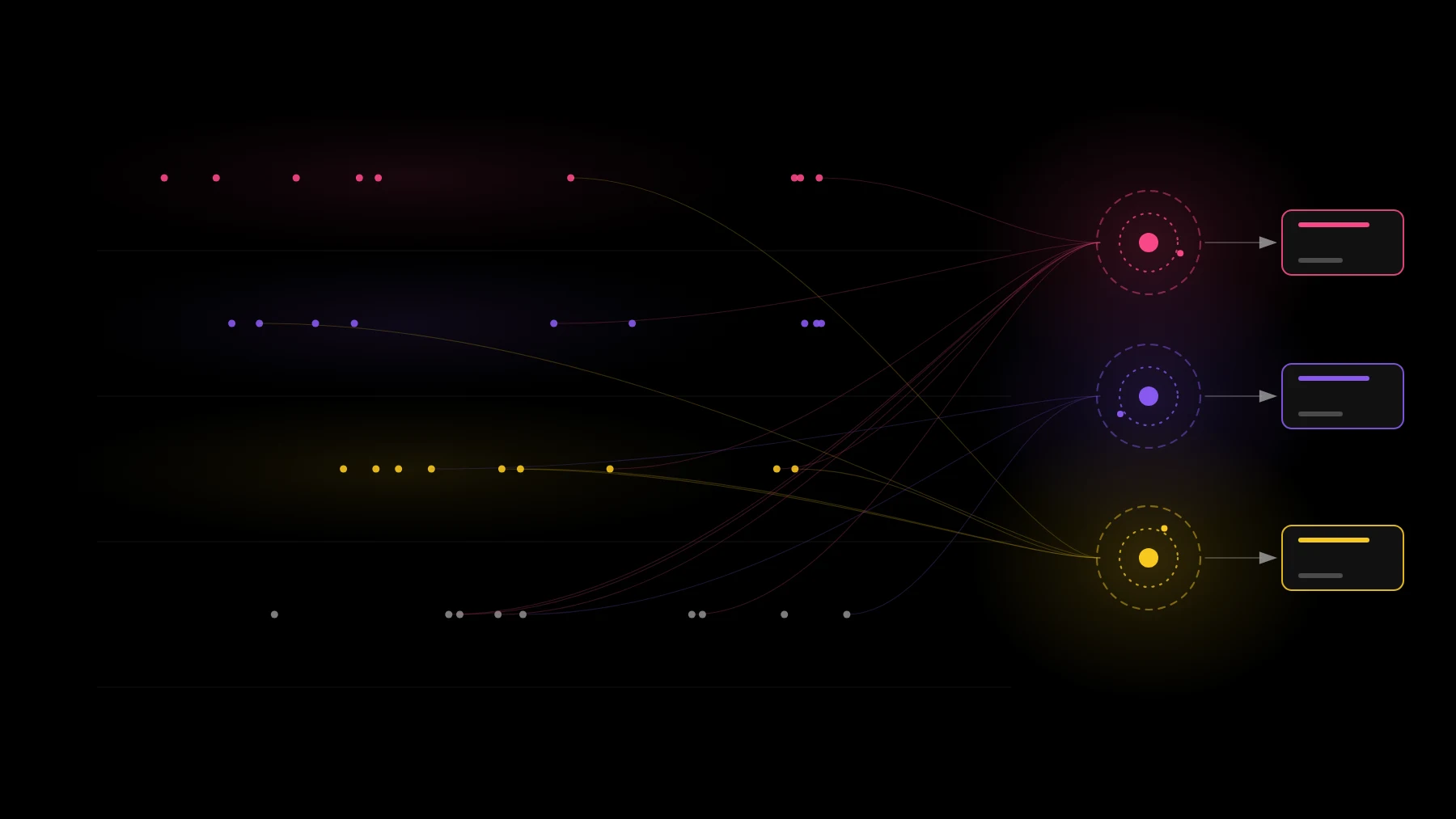
This is the step most teams skip, and it’s the one that makes everything else work.
Match each record to a CRM account, in this order:
- 📧 Email domain. A call participant at acme.com, a ticket from acme.com and a chat user at acme.com all map to the account with that domain. This covers most records.
- 🆔 CRM account ID. Where a tool already syncs with the CRM (call recorders often do), use the linked ID directly.
- 🔤 Fuzzy name match, then review. For Slack messages and free-text mentions (“Acme asked about SSO”), match the company name against account names. Have a person confirm the low-confidence matches once; keep the result so you don’t redo it.
Watch for personal email domains (gmail.com, outlook.com) and resellers. Neither tells you the account, so match those by user, not by domain.
Connect your first two sources and see the accounts matched for you. Sign up free
Step 2: extract requests, not tickets
A ticket is not a request. One ticket can hold three requests (“export is slow, we need CSV, and can admins schedule it?”). One request can span five tickets from the same account over a quarter.
So pull out each distinct request from each conversation, and give it a name written as the customer’s goal: “get usage data out for reporting”, not “CSV export” or “export is broken”. Requests worded differently but asking for the same outcome should get the same name. That’s what lets the count add up later.
This is where AI helps most. A model is good at reading one conversation and listing the requests in it. Do it per conversation, across every conversation, and store the results. Don’t ask a model to read everything at once and summarize.
Step 3: count distinct customers and join revenue
Now count. For each request:
- 🏢 Distinct accounts, not mentions. One account that raised it in six tickets is one account.
- 💵 Revenue, joined from the CRM: current ARR of the accounts asking, plus open deals where it came up.
- 📅 Recency, so you can see whether a request is growing or fading.
This is the number that ends roadmap arguments. “Customers keep asking for SSO” becomes “23 accounts asked in the last 90 days, worth $410K in ARR, 6 of them up for renewal this quarter” (sample numbers for illustration). People can disagree with what to do about it. They can’t argue about whether it’s real.
Step 4: keep the quote attached
Every count has to drill down. Click 23 and see the 23 accounts. Click an account and see the exact sentence, with a link to the call, ticket or message it came from.
Without this step, the count becomes another claim people have to take on trust. With it, the PM can answer “says who?” in one click, and an AI agent writing a spec from the data can cite its sources instead of paraphrasing them.
Build it or buy it
You can build this. A spreadsheet, a few API scripts and a model call per conversation will get a small team surprisingly far. If you have two sources and a few dozen conversations a month, building is often the right call.
It stops being enough as the sources and volume grow. Our build vs buy scorecard lists the signals: 5 or more sources, hundreds of tickets a month, people outside the product team wanting their own answers, and the day the person who built it moves on.
The tools hold the conversations. One view holds the count. Whatever you use, make sure it does all four steps: match, extract, count, cite.
”The tools hold the conversations. One view holds the count.”
See your sources combined, matched and counted. Connect your first two in a few minutes. Sign up free
FAQ
How do I combine Gong, Intercom, Zendesk and Slack feedback into one view? Match every record to a CRM account (email domain first, then CRM ID, then a reviewed name match), extract each distinct request from each conversation, count distinct accounts per request and join revenue, and keep a link from every count back to the original quote.
Why don’t dashboards or MCP servers give me a single view of customer feedback? Each tool uses its own customer ID and returns its own sample. Putting them side by side, or letting an agent search each one, counts the same account several times and never gives a reliable number of distinct customers.
When should I buy a tool instead of building my own feedback pipeline? When two or more of these are true: 5 or more sources, hundreds of tickets or call transcripts a month, non-product teams want their own answers, or the person who built the pipeline has moved on.