
Giving Claude Product Superpowers: Webinar Recording + Playbook
A practical playbook for product teams to wire Claude into the tools your work actually runs on: customer sources, analytics, ticketing, scheduled tasks, and agentic memory, via MCPs, skills, and plugins.
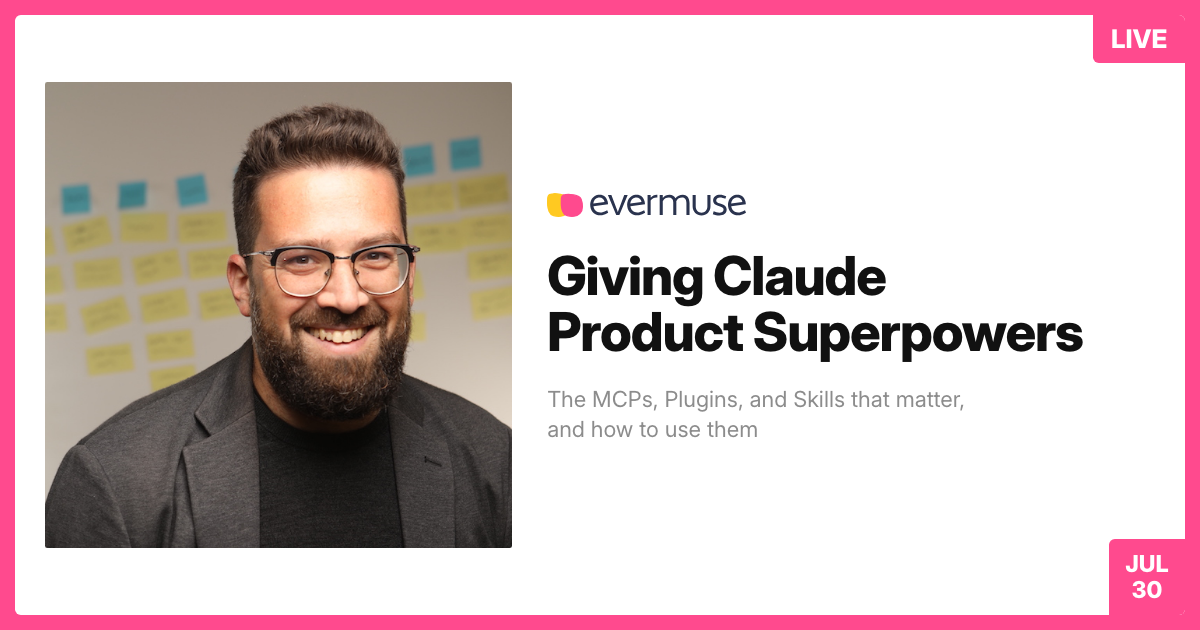
Most teams use Claude like a smarter search box. That's the least interesting thing it can do.
Give it access to the tools your work actually runs on, your customer calls, your analytics, your backlog, your calendar, and a memory that persists, and it stops being a chatbot. It becomes a product collaborator. This is the walkthrough of how to get there.
When code is cheap, product clarity is the constraint. You fix that with context engineering, not prompt engineering.
Webinar video
Follow us on LinkedIn to get invited to our monthly webinars →
Follow our YouTube channel for past webinar recordings →
TL;DR
- Context engineering, not prompt engineering. Set up the tools, access, and memory once, and the prompts collapse to one-liners that actually finish.
- The ladder is Integrate, Encode, Automate. Connect your tools as MCPs, capture what works as reusable skills, then schedule the reliable ones. If you type it twice, make it a skill.
- Every source you connect multiplies the others. Analytics plus voice-of-customer plus Figma plus Linear takes you from "this feature isn't converting" to a diagnosis to a redesign to a filed ticket, without leaving Claude.
- One source of truth is the biggest quality lever there is. A single product context library every skill and automation reads from, holding what's true about your products, customers, and requests.
- Keep the human on judgment. Automate everything around it. Approval queues, agent journals, and citations isolate the moment of taste and hand the prep and follow-up to the agent.
The shift: product clarity is the bottleneck
The bottleneck moved. For a decade it was engineering capacity. Coding is now roughly 10x faster and 100x cheaper, so building is no longer the hard part. Deciding what to build, shaping a coherent spec, and verifying each step: that is the expensive part now.
Put plainly: technology got fast, and product is dragging the whole team back down to a slow, human speed.
If you are in product, that is good news. The leverage is yours. But only if Claude can see what you see. That is what context engineering means: give it the tools, the access, and the memory so a one-line request already carries everything it needs to succeed.
Playbook move: stop tuning prompts in a vacuum. Audit what Claude can't see, your calls, your analytics, your backlog, and close those gaps first.
1. Customer sources: process the voice, don't sample it
Raw customer voice is the richest input a product team has, and the most wasted. It lives in your call and support tools, Gong for sales calls, Intercom chats, Zendesk tickets, Dovetail research, and in meeting recorders like Granola, Fireflies, Otter, and Grain.
Here is the trap. Raw transcripts are far too big for even a million-token window, so Claude samples a few examples and generalizes from them. That is not analysis, that is a guess. Process everything up front instead, and the question changes from "here are three calls, what do you think?" to "out of 100% of the feedback, what are the real patterns?" For research beyond your own walls, Exa, Perplexity, and FireCrawl let you name the exact fields you want back (name, URL, revenue, last raise) and return structured data, not prose.
Playbook move: put a processing layer over your calls and tickets so pattern questions ("why are enterprise deals stalling?", "top feature requests this month") draw on all of it, not a lucky sample. And demand a citation back to the source clip every time.
2. Analytics: stop digging through dashboards
Product analytics track what users actually do, and they connect straight to Claude: PostHog (open source, with click tracking, heatmaps, and session replay), Amplitude, FullStory, LogRocket (error logging plus replay), Mixpanel, and Pendo. Connect one MCP and you ask "which onboarding step leaks the most sign-ups?" or "what did the replay show?" in plain English.
The best product teams I talk to don't really open their analytics tools anymore. They just ask.
Playbook move: connect one analytics MCP this week and replace a single recurring dashboard-dig with a direct question. Let Claude surface the leak and the replay instead of hunting through screens.
3. Ticketing & communications: from tickets to gap analysis
This is where the work gets handed off, to humans and to other agents. Linear, Jira, Notion, Asana, and Monday for tickets, and on the design side Figma (which now reads and manipulates designs at the code level, and generates screens), Miro for workshops, and Zeplin for handoff. The Linear MCP is a daily driver for me. It feels like Claude is living inside Linear.
Creating tickets is the boring part. The leverage is gap analysis: "out of everything we heard in the last three months, what is not yet in Linear?" Then enrich the thin tickets with the evidence sitting in your customer sources.
Playbook move: run a standing gap analysis between your customer-source patterns and your backlog, and have Claude draft and enrich the tickets that are missing ("turn this PRD into a Linear ticket with acceptance criteria").
4. Scheduled tasks: encode first, then automate
Once your tools and skills are in place, scheduled tasks are the most important capability of all. They are what turn Claude from an assistant you summon into a colleague who shows up. The pattern that works: write a skill first, then schedule a one-line "run this skill." Every future tweak lives in the skill file, not the scheduler. A daily feedback digest with the evidence attached. Competitor deltas pulled from news and launches. Chain it to Zapier and Claude will build its own automations.
Two guardrails, both learned the hard way. Draft and test an automation by hand a few times before you let it run unattended. And watch for pollution: when too many overlapping MCPs and skills do the same job, tell Claude the priority order, or it will pick badly.
Playbook move: encode a recurring task as a skill, run it manually until it is boringly reliable, then schedule it. Keep a clear preference order so the agent always knows which tool to reach for first.
5. Agentic memory: move past the giant text file
There is a spectrum here, from crude to real. At the simple end, the CLAUDE.md file in a repo and Claude's own passive memory, which is useful but accumulates slowly and does not yet feel like a colleague who remembers. Then the dedicated platforms: Zep and Mem0 for associative memory that surfaces the relevant piece per task, and NotebookLM for per-project notebooks (the researchers I know love it). For heavier storage, the data lakes, Databricks, Snowflake, BigQuery, and Oracle, are unlimited but technical. I reach for Supabase, because it is SQL-friendly and an agent can query it directly.
One practical note on CLAUDE.md size. Don't over-worry about it, because Claude reads by heading instead of swallowing the whole file. But keep your working context under about 40%. Past that, agents get noticeably less sharp.
Playbook move: graduate from one giant text file to a queryable, well-structured store as your persistent product memory, and keep every doc cleanly headed so Claude reads only the section it needs.
Where to start: Integrate, Encode, Automate
You don't need all five categories on day one. The ladder is the plan:
- Integrate. Connect the two or three tools you touch most as MCPs.
- Encode. The second time you repeat a workflow, capture it as a skill. Curated skill libraries are everywhere now, from Anthropic's own PM plugin to community collections like Lenny Rachitsky's PM skills and Y Combinator's gstack.
- Automate. Take the skills that have earned your trust and put them on a schedule, each with its own journal so you can see what ran.
Playbook move: give every recurring task a journal. An agent with a journal is far more powerful than one without. It is the easiest form of memory there is, and it is how you stay in the loop without living in the weeds.
Where Evermuse fits
Everything above, you can build yourself from a stack of MCPs, skills, and storage. Evermuse is that stack, packaged. Install one MCP and you get processed customer voice, a meeting recorder, competitor and research tooling, a curated library of product skills, and the piece that matters most: a living product memory that remembers pain points, needs, feature adoption, and customer patterns on its own, so every skill and automation you run reads from the same source of truth. It is the product context library from the TL;DR, run for you instead of by you.
If you want to try it, install the MCP at evermuse.com/mcp.
About the speaker
Eran Dror is the Co-Founder & CEO of Evermuse, where he ships complex production code with AI every day. He is the Managing Partner of Remake Ventures, has helped 40+ startups raise $300M+ by finding product-market fit, and had his first exit with SetJam (acquired by Motorola in 2012). Connect with him on LinkedIn.
Install the Evermuse MCP and give Claude product superpowers →