
How calendar integrations work and how to change meeting join settings
Complete guide to connecting your calendar, configuring Zoom, and customizing when Evermuse should automatically join your meetings.
•Evermuse Team
How ToTechProduct
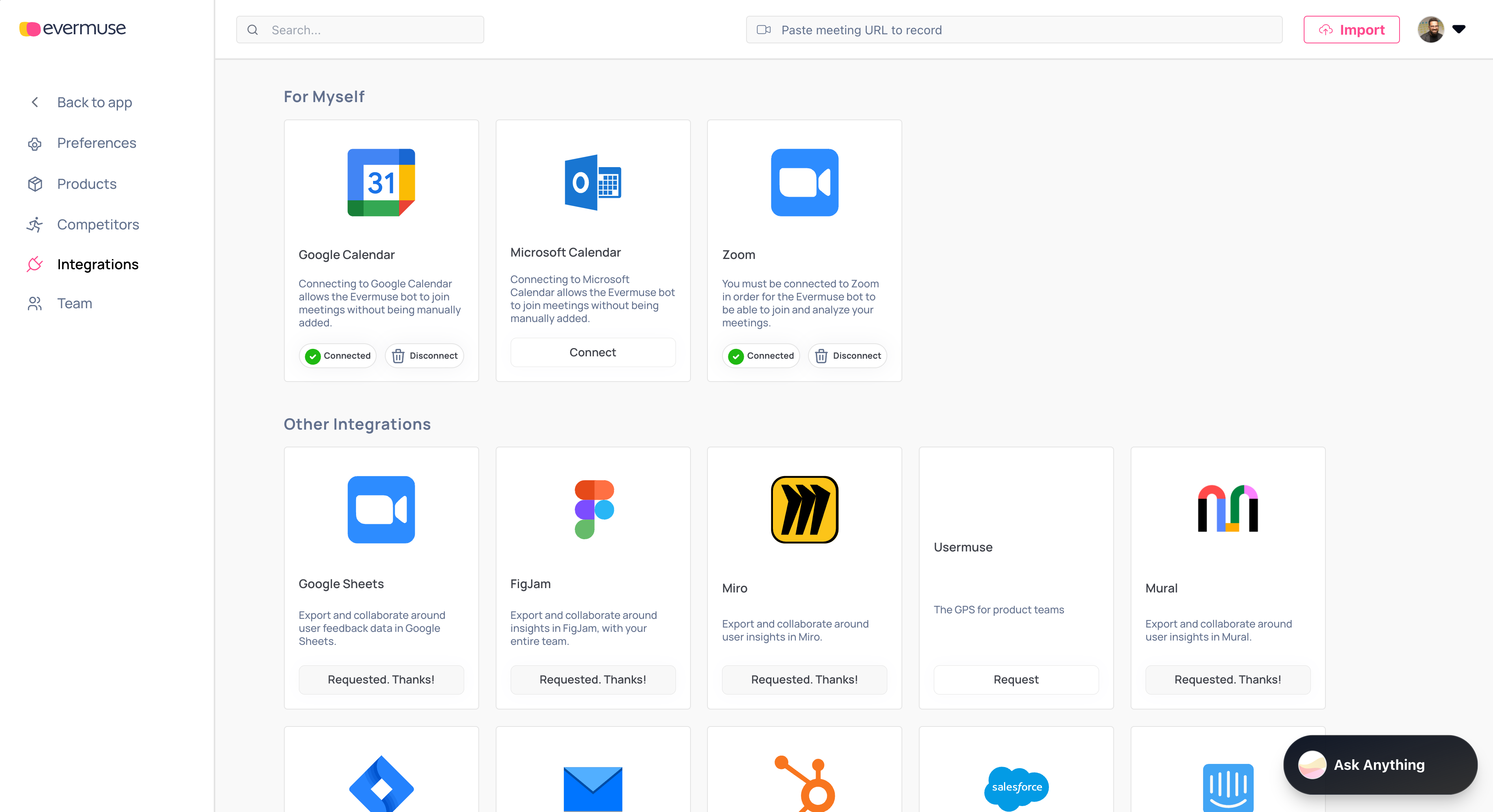
Calendar integrations help Evermuse detect meetings and join them for recording and analysis—without manual steps.
Connect your calendar
- Go to Dashboard → Integrations.
- Choose Google Calendar or Microsoft Calendar and complete the sign-in flow.
- You can only have one calendar connected at a time. If you switch, you’ll be asked to replace the existing connection.
Connect Zoom
- Also in Dashboard → Integrations, connect Zoom.
- This enables the Evermuse bot to join and analyze Zoom meetings.
Choose when Evermuse should join your meetings
Go to Dashboard → Team → Settings and set your preference:
🌐 Join External Meetings
Only join meetings with external participants.
📅 Join Every Meeting
Join everything on your calendar.
✨ Join All Meetings I Create
Only join meetings where you are the organizer.
✉️ Join Only When Invited
Join only when Evermuse is explicitly invited.
You can update this at any time. Changes apply moving forward.
What happens after connecting
- Evermuse watches your calendar for eligible events based on your preference.
- When a meeting qualifies, the bot joins at the right time and begins transcription and analysis.
- You’ll find the meeting and insights inside your project shortly after.
Troubleshooting auto-join issues
If you ever run into issues with auto-join, double-check:
- ✅ Your calendar and Zoom connections are active (Dashboard → Integrations).
- ✅ Your meeting join preference is set the way you expect (Dashboard → Team → Settings).
- ✅ The meeting link is valid and accessible.
🚀 Pro Tip
Start with “Join External Meetings” to focus on customer calls, then expand to other meeting types as you get comfortable with the system.