
April 2026 Release Notes: Push API, Document Ingestion, and the Projects Overhaul
Push API, document ingestion, a Projects overhaul for user researchers, smarter chat, meeting UI upgrades, unified credit metering, and major performance gains.
TL;DR
April was a big month at Evermuse. The shortlist:
- Push API: Ingest customer data from anywhere - CRM systems, Slack and Microsoft Teams channel conversations, support tickets, transcripts from other tools, interview notes, or any text file. Not just meetings we record.
- Document ingestion: Upload any text file - PDF, Markdown, transcript, research write-up - and Evermuse reads it, extracts customer signal, and treats it as a source alongside meetings.
- Projects overhaul: A substantial rework that user researchers will feel immediately. Multi-assign so the same piece of signal can live in multiple projects, one-click project creation, a polished sources sidebar, and research notes ingested directly as sources.
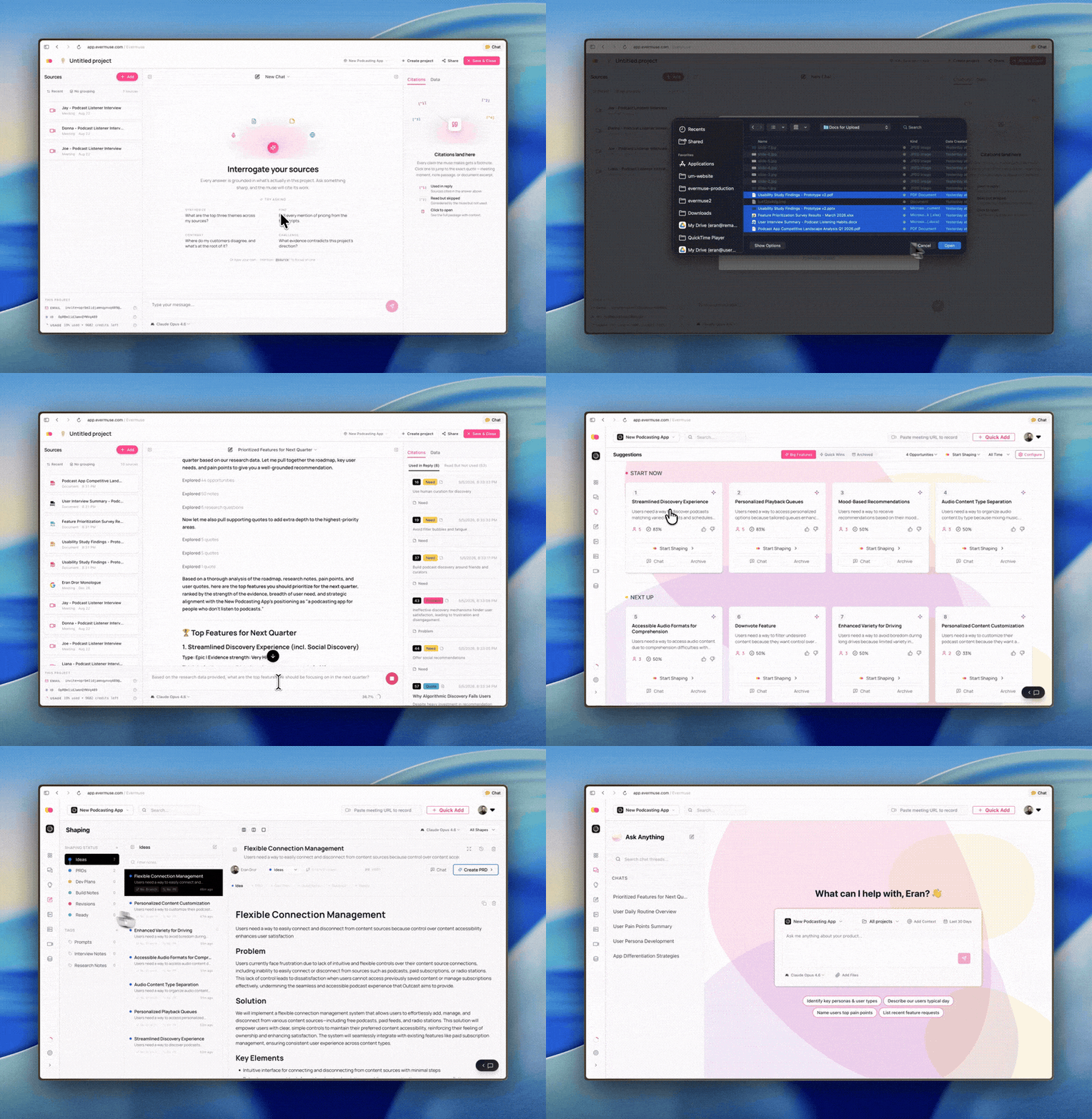
- Smarter chat: Persistent sidebar chat available from anywhere in the app, chat mounted directly on meeting detail pages, project-level filtering, and inline citations that link straight to the source.
- Meeting UI upgrades: Transcript signal highlights, a two-column executive summary with a collapsible signals timeline, sentiment validation, and jump-to-subtitle navigation from Topics Covered.
- Unified credit metering: One transparent credit system across chat, shaping, subagents, ingest, and AI-assisted PR review - with mid-cycle threshold billing for predictable usage.
- Performance & polish: Parallelized backend queries, a much faster project page, real-time listeners replacing serial waterfalls, and dozens of smaller fixes.
🔌 Push API: ingest customer signal from anywhere
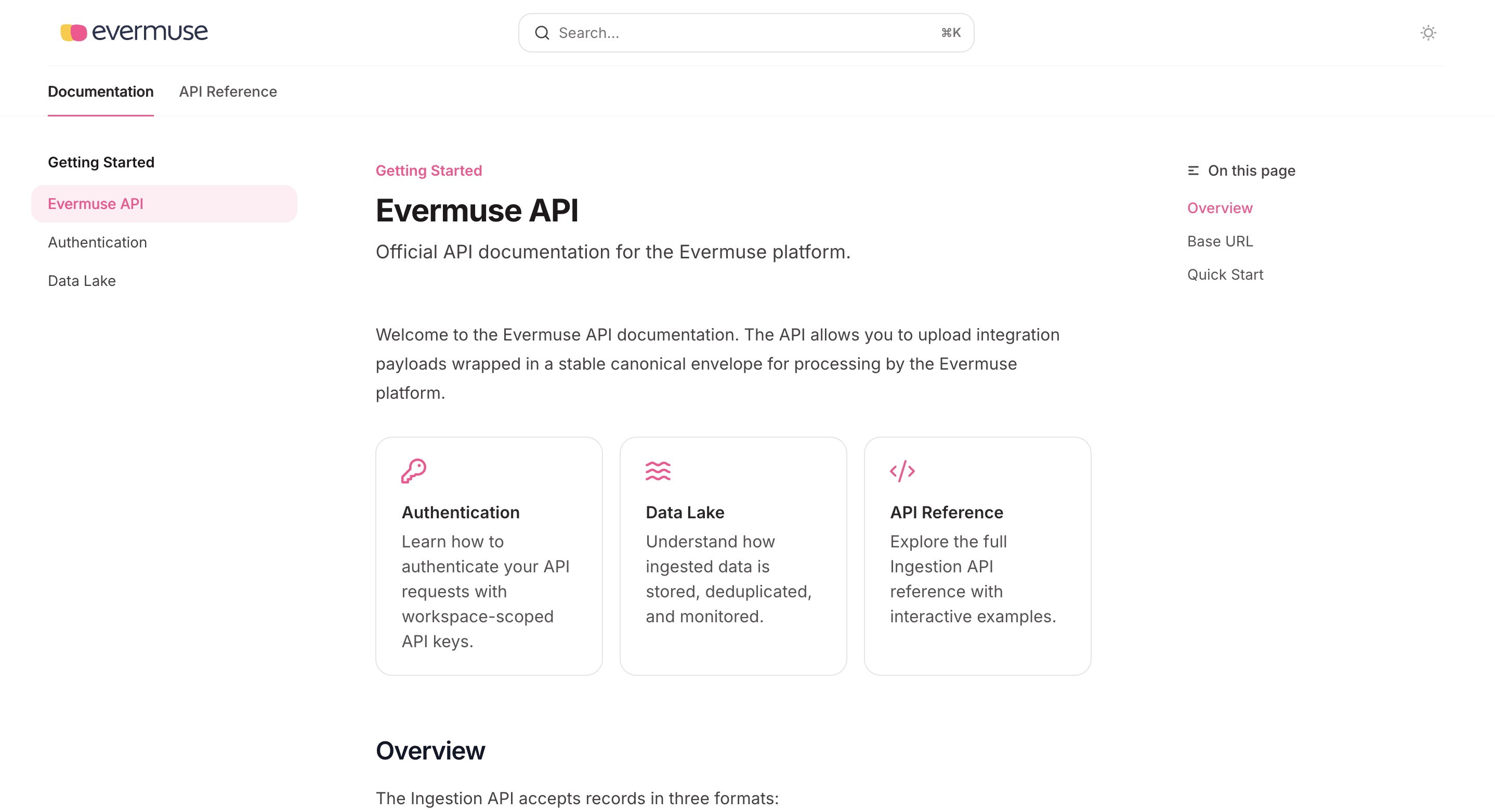
Until now, the fastest way to get data into Evermuse was to let it record your meetings. That worked for Zoom and Google Meet, but it left out everything else - the Slack thread where a customer flagged a bug, the Teams conversation a CSM had with a power user, the support ticket that turned into a feature request, the contact notes in your CRM, the transcript already sitting in another tool, the interview notes you wrote up in a doc.
The Push API closes that gap. Send any source of customer signal into Evermuse via a single endpoint, and we process it the same way we process meetings. Supported sources include:
- CRM data - accounts, contacts, deal notes
- Slack and Microsoft Teams channel conversations
- Support tickets from your help desk
- Transcripts from other recording tools
- Interview notes and research write-ups
- Any text-based file or document
What happens once it lands:
- We extract text, classify the source, and route it to the right project (or projects)
- We generate searchable transcript sections and embed them for semantic search
- We surface relevant excerpts in chat answers and shaping suggestions
- We cluster the underlying needs, problems, and feature requests alongside everything else you’ve ingested
- We feed those signals into roadmap suggestions
📄 Document ingestion
Tied to the Push API: Evermuse now ingests documents directly.
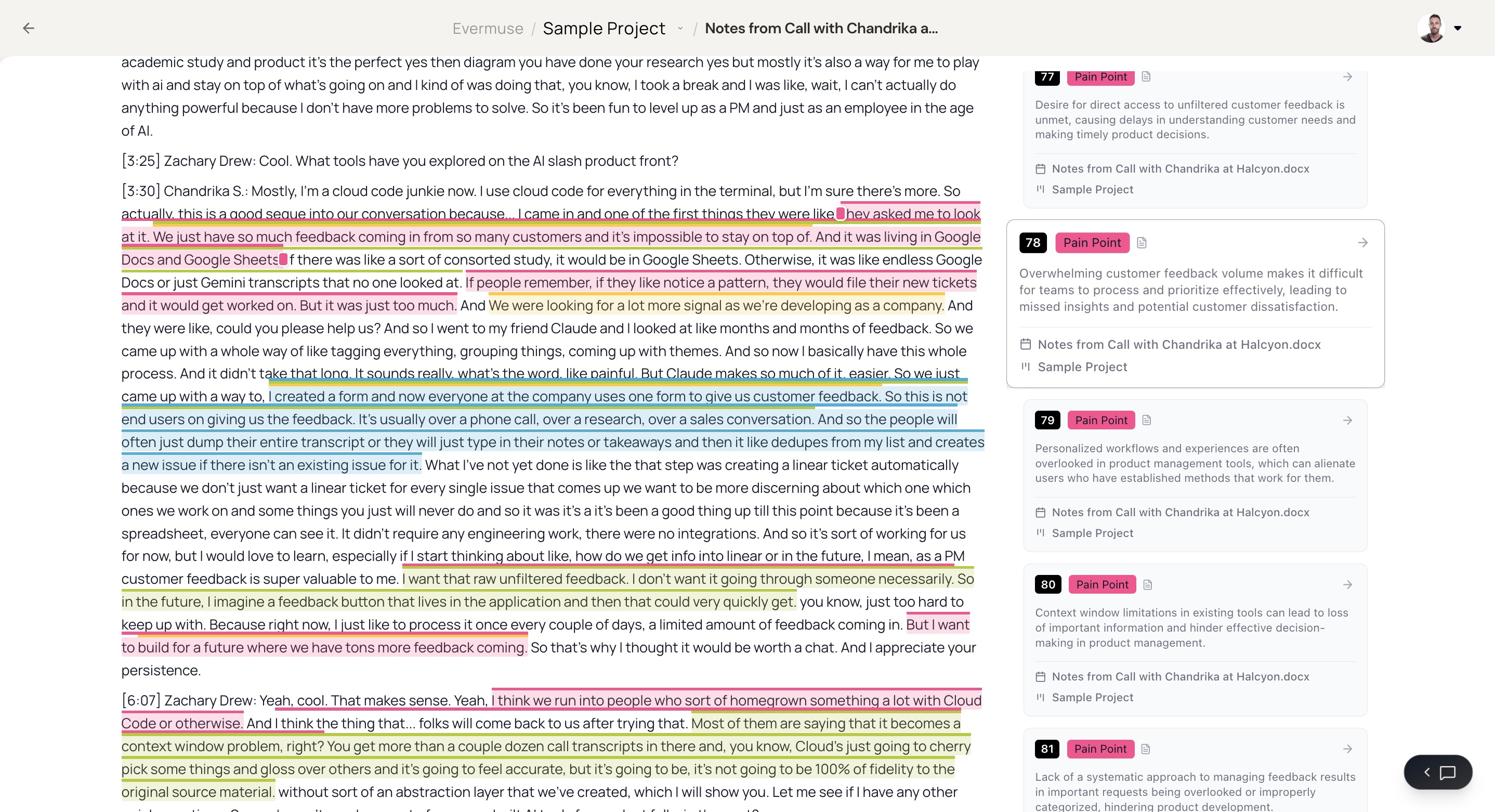
Upload any text-based document - a PDF, a Markdown file, a Google Doc export, a meeting transcript, a research write-up, a plain .txt - and Evermuse will read it, classify it, and add it to your project. Each document gets its own view: a rendered body, a signals sidebar with extracted quotes, needs, and problems, and one-click navigation back to the underlying source.
The practical effect: research artifacts that used to live in a Drive folder you’d never reopen now sit in the same project as the meetings they relate to, and chat can answer questions across all of it.
📁 Projects: a major overhaul for user researchers
If you run user research at your company, this is the big one. Projects got a substantial rework in April:
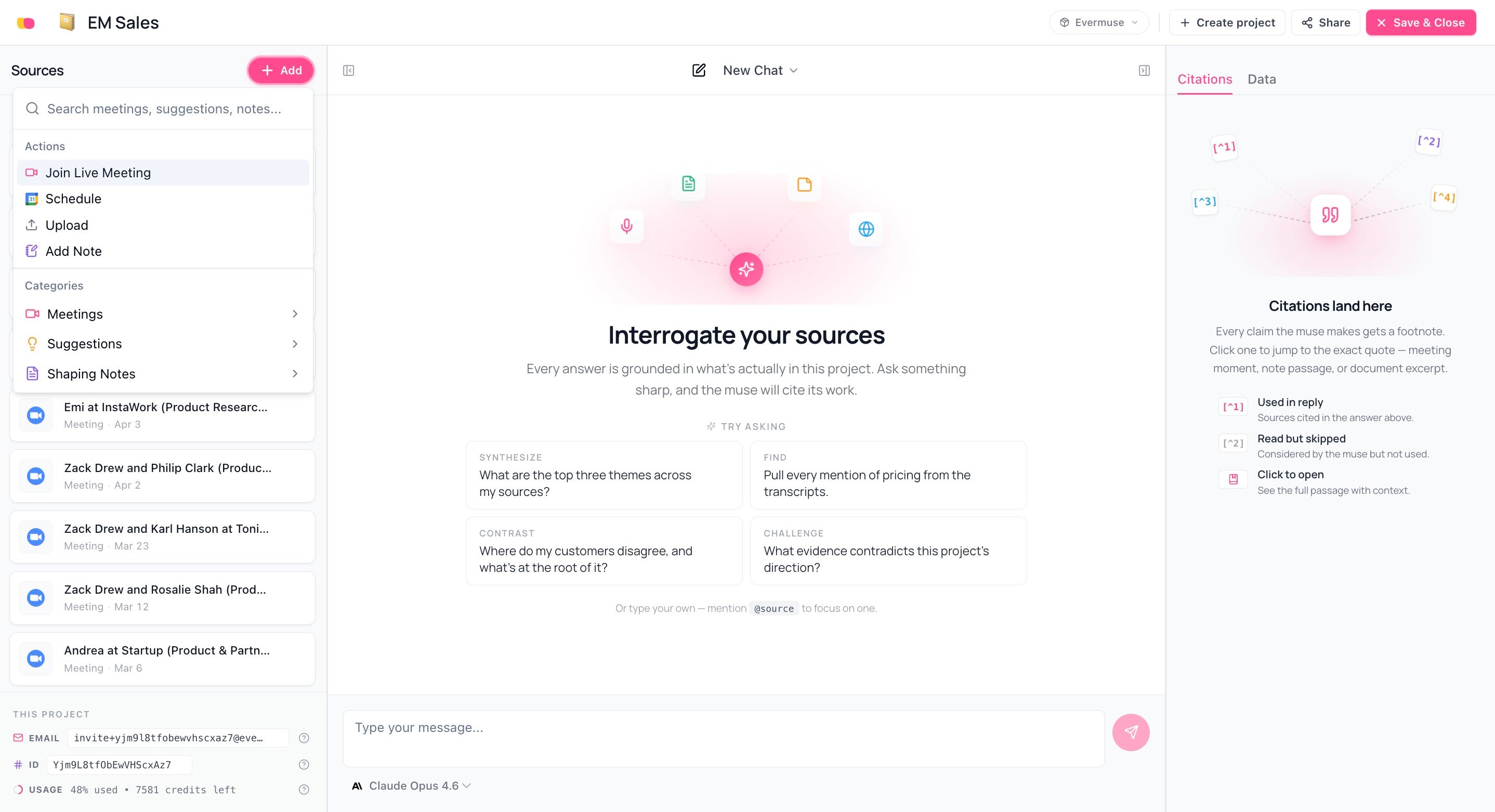
- Multi-assign. A single meeting, document, or ingested source can now belong to multiple projects. No more duplicating an interview across a “Discovery Sprint” project and a “Pricing Research” project just because the same conversation applies to both.
- One-click project creation. Replaced the previous multi-step onboarding flow. Spin up an empty project, drop sources in, get to work.
- Polished sources sidebar. New visual rhythm, a usage status row, and a topbar refresh. The Add-Sources dialog now lives in its own portal so it doesn’t fight the sidebar for screen space.
- Add meetings via search. Pull meetings into a project by searching across your library, with automatic re-clustering when you remove a source.
- Research notes as ingested sources. Notes you write inside a project are ingested as Markdown documents and run through the same pipeline as anything else - meaning they contribute to chat answers, signal clustering, and roadmap suggestions.
- Faster everywhere. The project page now uses parallel real-time listeners instead of serial database waterfalls, and the sources sidebar loads independently of the rest of the page.
For research-led teams, the practical effect is that a project can finally be a complete container for a body of research - meetings, ingested transcripts, interview write-ups, your own notes - all with the same processing applied to all of it.
💬 Smarter chat
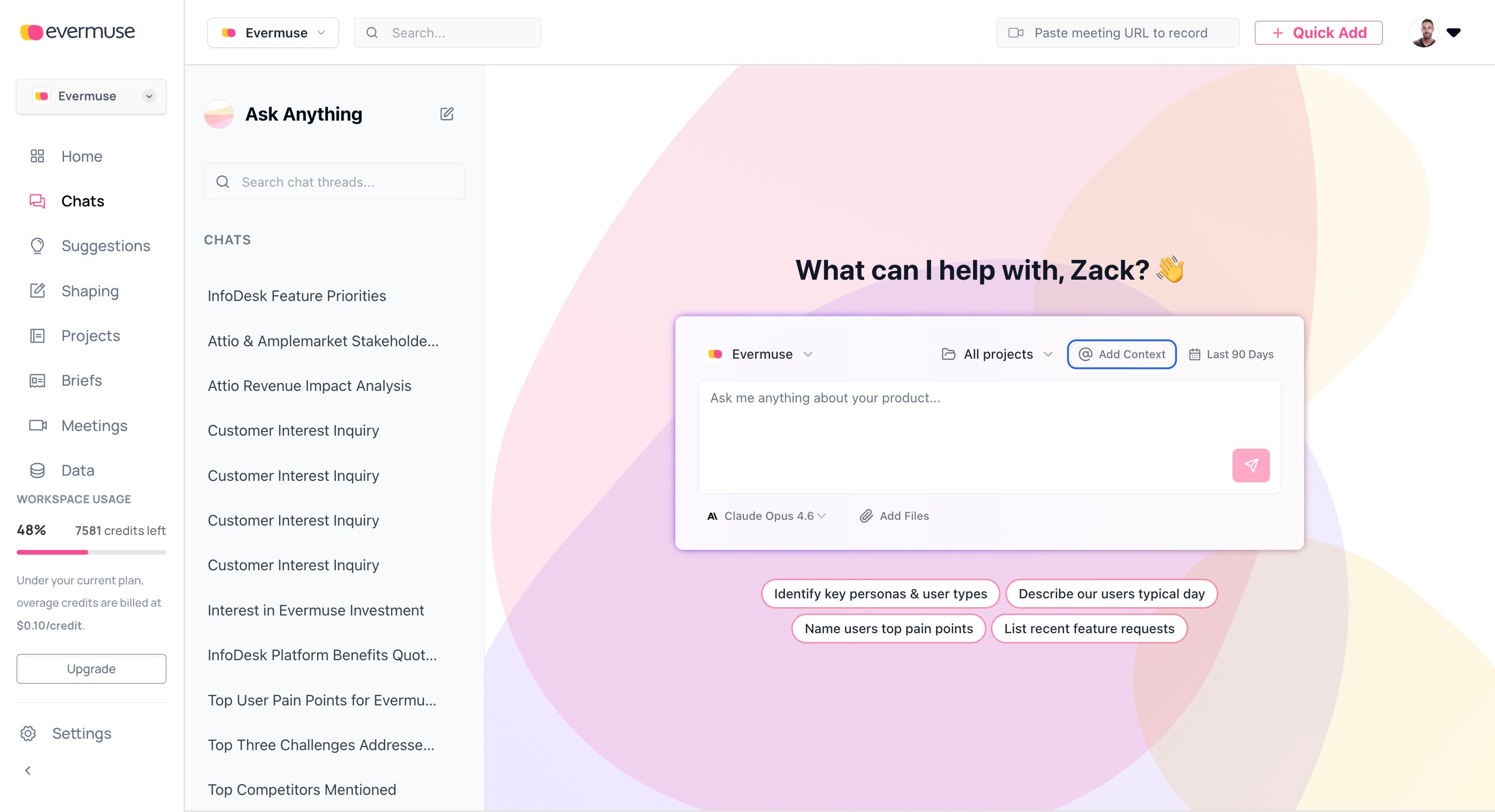
A handful of compounding upgrades:
- Persistent sidebar chat, from anywhere. A floating action button opens chat from any page in the app. The current page’s context auto-attaches, so you can ask “what’s the signal pattern across these meetings?” without manually setting up the conversation.
- Chat mounted on meeting detail pages. Inline chat directly on the meeting view, scoped to that meeting’s context.
- Project-level filtering. Restrict chat to a specific project’s sources for focused analysis.
- Inline source citations. References to meetings, documents, or transcripts link directly in the answer, with click-to-detail navigation.
- Thread selection. Pick which past conversation to continue from, instead of always starting fresh.
- Documents in the context picker. Documents now appear alongside meetings and projects when you’re attaching context.
- Performance. A single citation tooltip overlay replaces per-message tooltips, and chat messages are memoized to avoid re-renders during streaming.
🎥 Meeting UI upgrades
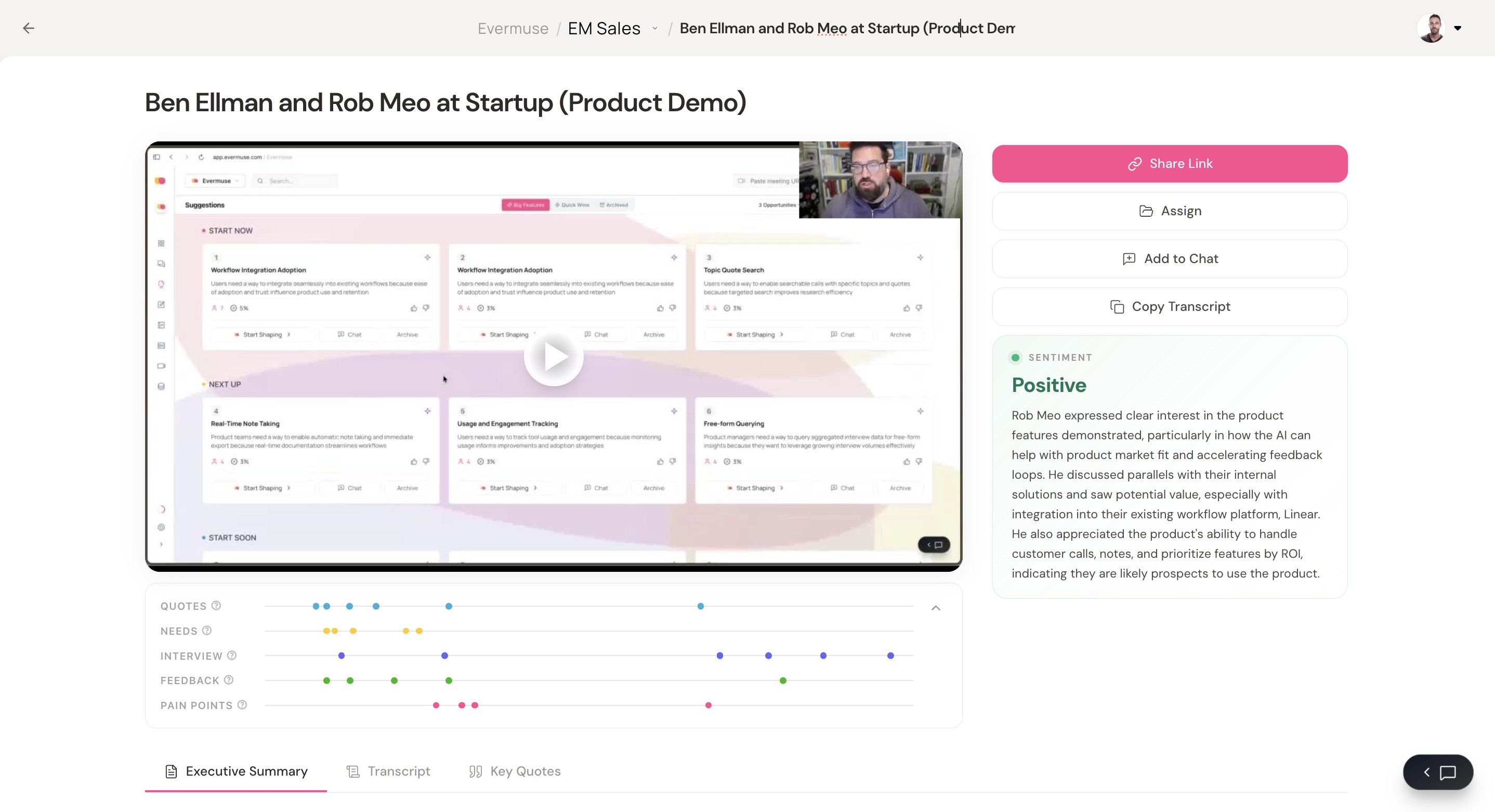
Several improvements to the meeting detail page:
- Transcript signal highlights. Inline overlines mark where signals were extracted, with anchor links from the signals timeline.
- Two-column executive summary. Summary and signals timeline side by side, with a collapsible timeline so you can focus on one or the other.
- Sentiment validation. A new validation box under the action buttons.
- Jump-to-subtitle from Topics Covered. Click a topic, jump straight to where it’s discussed in the transcript.
- Drag handle and overline interval fixes.
💳 Unified credit metering
Credit metering is now unified across every AI-powered feature - chat, shaping, subagent runs, ingest, and AI-assisted PR review. Credits are derived from token consumption with a dedicated rate for ingest. Usage can be sliced by feature, time window, user, AI model, conversation, or note. Free credits deduct before paid credits.
A new mid-cycle threshold billing model automatically bills once unbilled charges exceed $40, instead of waiting for the end of the cycle - which keeps surprises out of monthly invoices. A durable failure ledger and reconciler handle billing edge cases gracefully.
A workspace usage widget lives in the sidebar today. A more detailed admin dashboard is on the way.
🚀 Performance and reliability
- Project page. Replaced serial database waterfalls with parallel real-time listeners. The sources sidebar now loads independently from the rest of the page.
- Signal updates. Five sequential database lookups now batch into one - about 5x faster in the worst case.
- Search and chat. Multiple endpoints that previously built responses through sequential queries now run them in parallel.
- Caching. Fixed a bug that could cause stale data to persist for up to five minutes after a failed background revalidation.
- Note lists. No longer recompute filter and sort logic on unrelated re-renders.
✨ Polish
A long list of smaller fixes that add up:
- “Paste meeting URL to record” reliably opens its dialog again.
- The MCP tab appears correctly in Settings.
- Workspace logos and internal-domain settings actually save when you add them.
- Cancelling automated shaping (“Shape to Ready”) now stops the next generation step instead of letting one more run slip through.
- The app no longer signs users out after brief idle periods.
- The signals sidebar stays pinned during outer page scrolls on document pages.
- Ingest billing fix: corrected AV credit calculation back to per-minute and prevented duplicate billing.
- A number of error messages have been rewritten to be specific and actionable.
For questions, feedback, or support, please reach out to the Evermuse team at team@evermuse.com - we’re here to help!