
How to add meetings to the system
Learn the different ways to add meetings to Evermuse - from uploading recordings to joining live meetings automatically.
•Evermuse Team
How ToProduct
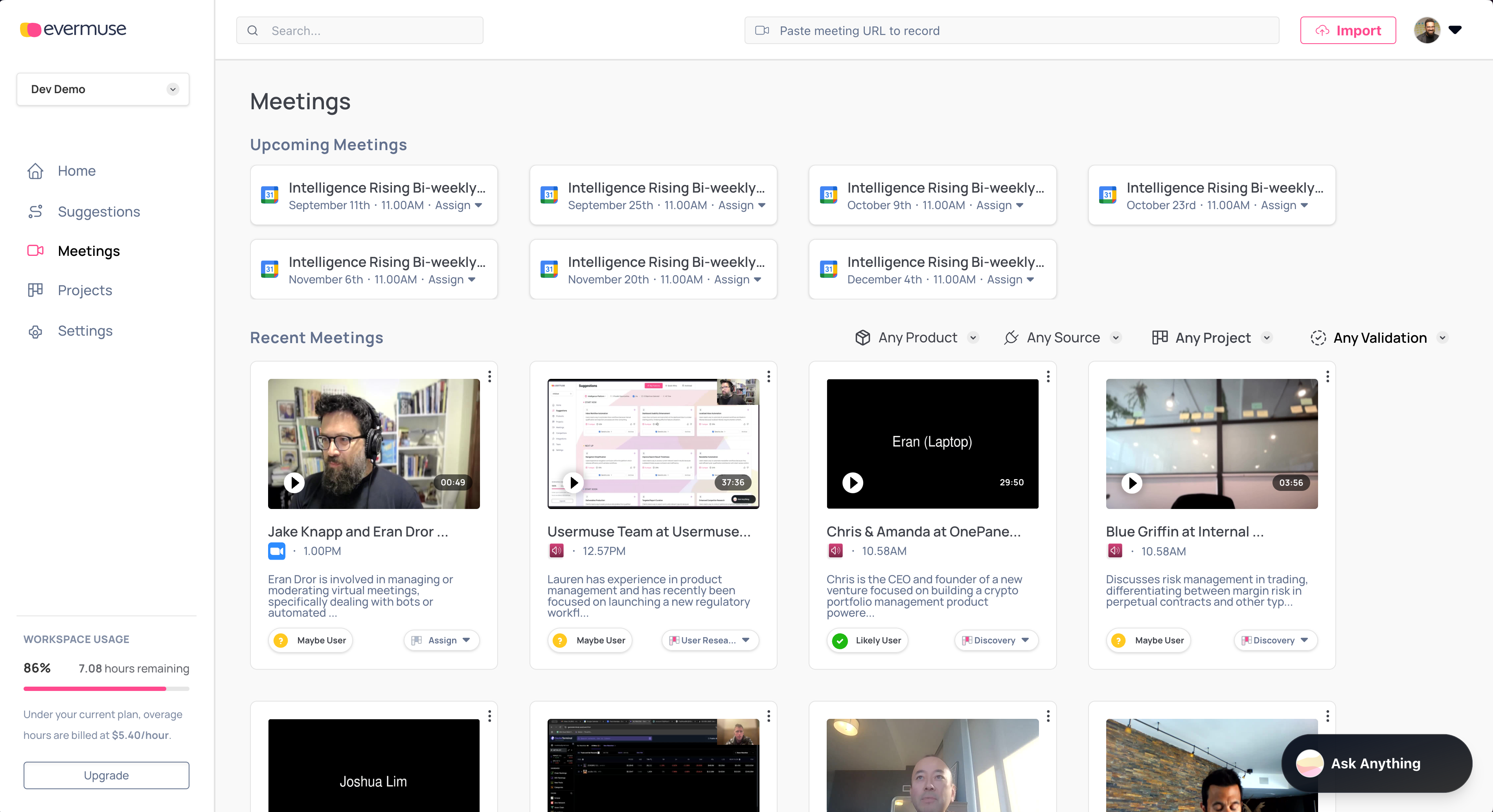
There are several ways to add meetings—pick what fits your workflow.
Option 1: Upload past recordings (fastest way to start)
- From a project, click Upload Recordings.
- Drag-and-drop or import from Google Drive, OneDrive, Zoom, Dropbox, or Box (if available).
- We’ll create meetings and generate notes automatically.
💡 Tip: Upload at least 5 recordings to see robust insights and patterns.
Option 2: Join a live meeting by pasting a link
- In your project, click Join Live Meeting.
- Paste a meeting link (Zoom, Google Meet, Microsoft Teams, etc.).
- We’ll send the Evermuse bot to join and start analyzing right away.
Option 3: Let Evermuse auto-join via your calendar
- Connect Google or Microsoft Calendar (Dashboard → Integrations).
- Set your meeting join preference (Dashboard → Team → Settings).
- Based on your preference, Evermuse will automatically join eligible meetings and create the session in your project.
Option 4: Import directly from connected sources
- When uploading, use the import options to pull files from:
- Google Drive
- OneDrive
- Zoom
- Dropbox
- Box (if enabled for your account)
- We’ll handle the upload and meeting creation for you.
What happens next?
After any of these methods, you’ll see meetings appear in your project. We’ll transcribe, analyze, and surface insights automatically:
- Transcription: Full conversation text with speaker identification
- Key Quotes: Important customer feedback and pain points
- Needs Analysis: What users are really asking for
- Smart Summaries: Quick overviews of each session
- Pattern Detection: Themes across multiple meetings